
You can find remote IT support jobs without a degree, but employers still expect you to know how to solve basic technical problems, communicate clearly, and help customers or employees use technology. Some entry-level positions accept applicants with relevant certifications, practical training, or transferable customer service experience instead of a college qualification. Getting hired for a fully remote position can be more competitive, so knowing where to focus your efforts matters. This guide explains the roles worth searching for, the skills to learn, and how to build a convincing application even if you’ve never worked in IT.

Table of Contents
Can You Get Remote IT Support Jobs Without a Degree?
Yes. A college degree is not mandatory for every IT support position. Some employers accept a high school diploma or equivalent alongside technical knowledge, training, and relevant certifications.
The U.S. Bureau of Labor Statistics explains that computer user support positions don’t necessarily require a college degree. Requirements vary, particularly for more specialized technical roles. The important distinction is that no degree required doesn’t mean no skills required.
Someone who has worked in retail customer service, for example, may already know how to handle frustrated customers, ask questions, and explain solutions. Combining that experience with basic Windows, networking, and troubleshooting knowledge can make them a credible beginner applicant.
Remote jobs also introduce another requirement: employers need confidence that you can work independently without someone standing beside you.
What Does a Remote IT Support Specialist Do?
A remote IT support specialist helps people resolve computer, software, account, and connectivity problems through phone calls, emails, online chat, or approved remote assistance tools.
For example, an employee might contact the help desk because they cannot access their company email. The support technician checks whether the problem involves the account, password, internet connection, or email application. They may guide the employee through troubleshooting, document the issue, and escalate it to a senior technician if necessary.
Typical responsibilities include helping users sign in, resolving basic software errors, assisting with Wi-Fi or VPN connections, documenting support tickets, and explaining technical instructions in simple language. Not every IT problem can be fixed remotely. Hardware replacements and certain network repairs require someone on-site, which is why you should carefully check whether a job is genuinely work-from-home.
Best Entry-Level Remote IT Support Jobs to Explore
Companies use different job titles for similar support responsibilities. Searching several related roles can help you discover opportunities that a single keyword might miss.
| Job Role | Main Responsibilities | Beginner Suitability |
| Help Desk Technician | Password, account, and software assistance | Good starting point |
| Service Desk Analyst (Level 1) | Responding to tickets and escalating problems | Good with basic training |
| Technical Support Representative | Helping customers troubleshoot products | Good for customer service backgrounds |
| IT Support Specialist | Supporting employee devices and applications | Varies by technical requirements |
| SaaS Support Associate | Helping users with cloud-based software | Good with product knowledge |
Level 1 support generally handles common, repeatable problems. More complicated issues move to Level 2 or specialist teams.
Customer-facing software support can be particularly accessible to applicants who already have experience answering customer questions. Internal IT help desk jobs may expect more knowledge of operating systems, user accounts, and company networks.
Essential Skills for Remote IT Support Jobs Without a Degree
You don’t need to learn everything about computers before applying. Focus on the skills that help you solve everyday support requests.
Computer and Operating System Basics
Become comfortable with Windows settings, software installation, updates, file management, device connections, and basic troubleshooting. Understanding macOS can be useful when supporting companies with mixed devices. Practice diagnosing problems rather than memorizing random fixes.
Basic Networking Knowledge
Learn what IP addresses, DNS, routers, Wi-Fi networks, and VPNs do. You should be able to explain possible reasons a computer can connect to Wi-Fi but still cannot access a website.
Customer Service and Communication
Support work involves people as much as technology. A good technician can listen without interrupting, ask useful questions, and explain a solution without overwhelming the user with technical language. This matters even more in remote technical support jobs, where many problems must be understood through conversation rather than direct observation.
Ticketing and Remote Collaboration
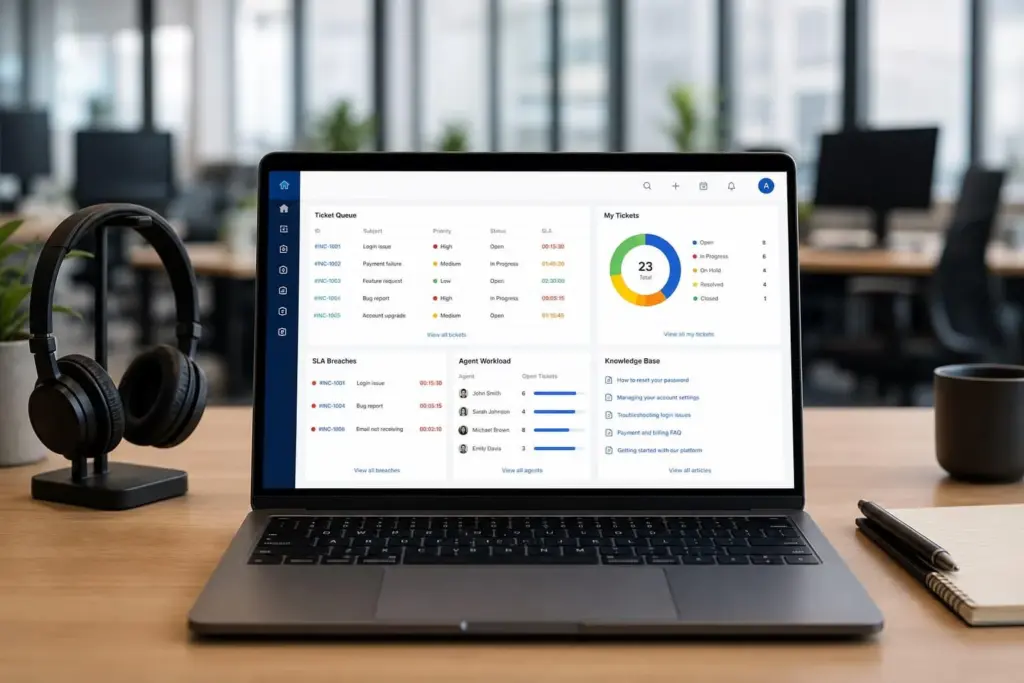
Get familiar with the purpose of help desk ticketing systems such as Jira Service Management, Zendesk, or ServiceNow. You should understand how to record a problem, assign a priority, document troubleshooting, and update a customer. Basic experience with Microsoft Teams, Zoom, or other remote collaboration platforms is also helpful.
Best IT Support Certifications for Beginners
A certification isn’t always mandatory, but structured learning can help you demonstrate technical knowledge when you lack professional IT experience.
CompTIA A+
CompTIA A+ is a widely recognized entry-level certification focused on areas such as hardware, operating systems, networking, security, and troubleshooting. It’s worth considering when you’re targeting general IT support or help desk technician positions. Check the current exam requirements and fees on the official CompTIA website before registering.
Google IT Support Professional Certificate
The Google IT Support Professional Certificate is designed for beginners with no prior experience required.
It covers topics including troubleshooting, computer networking, operating systems, system administration, and security. Its structured lessons and hands-on activities can be useful when you’re starting from zero.
Microsoft Learn
Microsoft Learn offers self-paced training covering Microsoft technologies. This is especially useful for understanding services and applications found in business environments, including Windows and Microsoft 365. Which should you choose? Start with one learning path that matches the jobs you’re targeting. Completing multiple certificates without practicing your skills is less useful than being able to explain how you would solve a real support problem.
How to Gain IT Support Experience Without a Job
Lack of experience creates a familiar problem: employers want evidence of your skills, but you need an opportunity to gain that evidence. The solution is to create small, documented practice projects. Start with your own computer and home network. Practice installing a legitimate application, troubleshooting a connection issue, checking update settings, or configuring a separate test user account. Then create a short troubleshooting record showing the problem, possible causes, steps investigated, and final result.
For example:
Practice support ticket: Laptop connects to Wi-Fi but websites don’t load.
Problem: The device shows a wireless connection, but the browser cannot open websites. Investigation: Compare another device on the same network, check whether the router has internet access, and examine the affected laptop’s network settings Documentation: Record what was tested, what changed, and whether the issue was resolved. You can place two or three examples in a simple PDF portfolio. Use only devices and accounts you own or have permission to troubleshoot. Never present home practice as employment experience.
How to Find Remote Help Desk Jobs With No Degree
Finding suitable vacancies requires a more targeted approach than searching for “remote jobs” and applying to everything.
Step 1: Use Specific Job Search Terms
Search for phrases such as “remote help desk technician,” “entry-level technical support remote,” “Level 1 service desk,” and “work from home IT support.” Try alternatives such as “technical support representative” if you have customer service experience.
Step 2: Read the Actual Requirements
Focus on listings that mention equivalent experience, relevant certification, or practical skills instead of a strict degree requirement. Also check the location. A position advertised as remote in the United States may only accept applicants living in certain states. UK roles may have similar residency or working-hour requirements. Remote does not automatically mean worldwide.
Step 3: Use Reliable Job Search Sources
Visit Remote IT Jobs to explore technology opportunities and career resources. You can also use established job platforms and employers’ official career websites. Verify that a suitable position exists before submitting your application. For more starting points, read our guide to remote IT jobs with no experience.
Step 4: Tailor Each Application
Highlight the skills requested in the specific job description. If an employer mentions troubleshooting Microsoft 365 and managing support tickets, emphasize relevant training or practice rather than unrelated computer knowledge. A smaller number of carefully matched applications is generally more useful than sending an identical resume to every listing.
How to Write an IT Support Resume Without a Degree
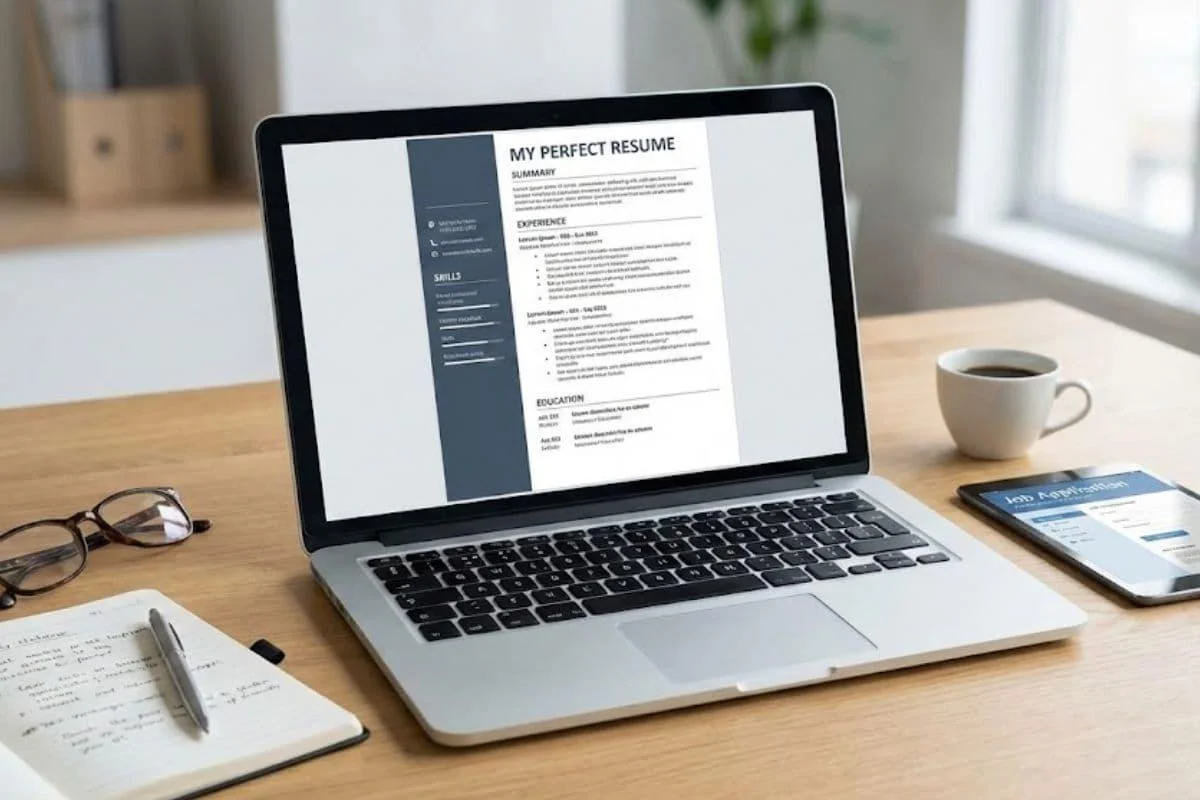
Your resume should make it easy for employers to understand what you can do. Begin with a short professional summary, followed by technical skills, relevant training, hands-on projects, and work experience If you have previously worked in customer service, retail, administration, or a call center, explain how that experience relates to support work. For example, a candidate with customer service experience could write:
“Customer service professional transitioning into IT support, with practical training in Windows troubleshooting, networking fundamentals, and technical issue documentation.” Only include training and skills you genuinely possess. Your practice portfolio can demonstrate technical knowledge even if you don’t have previous IT employment. Our guide on creating a resume for remote jobs explains additional ways to present remote-work skills.
Common Remote IT Support Interview Questions
An entry-level interview may test both troubleshooting knowledge and communication. Employers could ask what you would do if someone’s internet stopped working, how you would respond to an upset customer, or when you would escalate an unresolved ticket. A useful troubleshooting answer explains your process: understand the symptoms, check the simplest likely causes, test one change at a time, and document the result. You might also be asked how you protect customer information or handle a problem you cannot fix independently. Avoid guessing or promising access you don’t have. Explain how you would follow company procedures, respect permissions, and ask for help when needed.
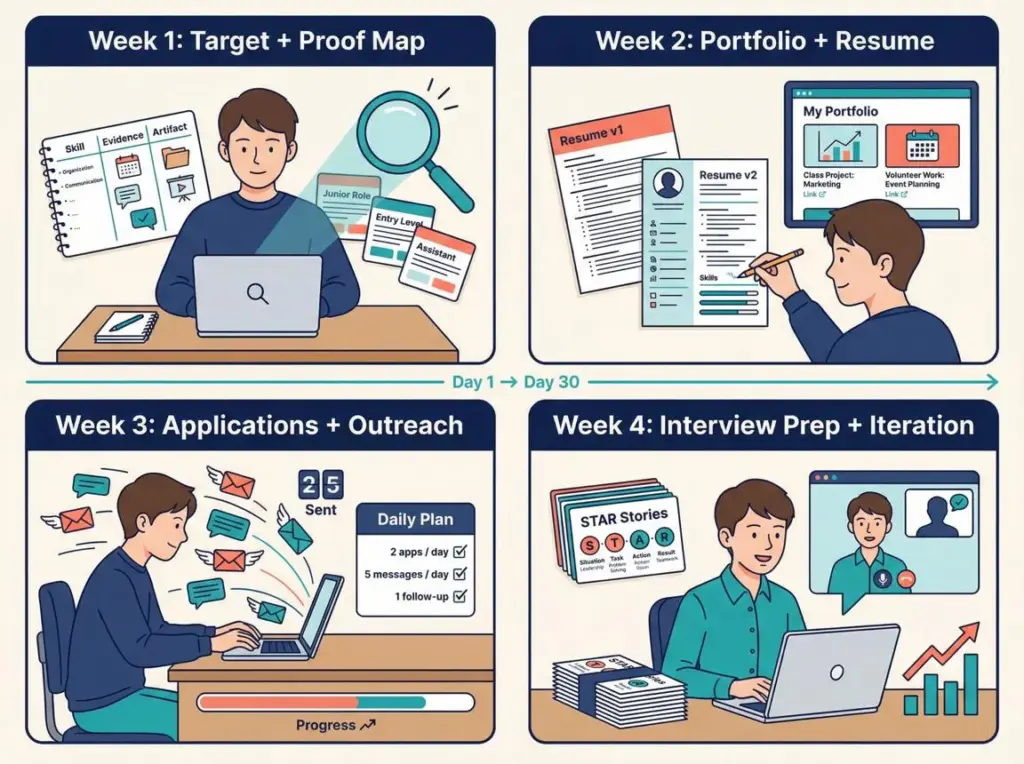
A Practical 30-Day IT Support Learning Plan
You can use the following plan to build a foundation. Thirty days is a starting framework, not a guarantee of job readiness.
| Week | Learning Focus | Practical Goal |
| Week 1 | Operating systems and computer basics | Troubleshoot common Windows issues |
| Week 2 | Networking and account problems | Practice Wi-Fi, DNS, and login troubleshooting |
| Week 3 | Help desk workflows and documentation | Create three sample support tickets |
| Week 4 | Resume, portfolio, and interviews | Apply to suitable entry-level jobs |
Keep learning while applying. If multiple job descriptions mention a technology you don’t recognize, add it to your study plan.
Salary Expectations and Remote Work Limitations
IT support pay varies substantially by location, industry, experience, and responsibilities. For context, the U.S. Bureau of Labor Statistics reports a May 2025 median annual wage of $61,860 for computer user support specialists. This figure covers the occupation broadly and should not be treated as the starting salary for a remote beginner. In the UK, the National Careers Service lists an indicative range from £24,000 for starters to £36,000 for experienced IT support technicians. For international remote positions, check the actual compensation, time zone, employment arrangement, and country restrictions in each vacancy.
How to Avoid Fake Remote IT Support Jobs
Remote job seekers should be cautious of offers that promise unusually high pay for very little work, request upfront payments, or ask for sensitive information before legitimate hiring checks. The Federal Trade Commission warns about fake work-from-home offers and equipment-payment scams. Before accepting an offer, verify the company, check the vacancy on its official website, and confirm that the recruiter’s details are legitimate. You can learn more in our guide to finding legitimate remote IT jobs and avoiding scams.
Frequently Asked Questions
Can I get a remote IT support job without experience or a degree?
Yes, some beginner-level roles may consider applicants with relevant training and transferable skills. However, remote employers can be selective, and practical troubleshooting experience improves your application.
Do remote help desk jobs require coding?
Most entry-level help desk positions don’t require programming. Basic troubleshooting, operating systems, networking, and customer communication are usually more relevant. Advanced roles may benefit from scripting knowledge.
Is CompTIA A+ necessary for a help desk job?
Not always. Some employers require or prefer it, while others accept comparable practical skills, relevant training, or experience. Review job descriptions before deciding which certification to pursue.
Can I work from home in IT support with only a laptop?
Some remote support roles can be performed with a suitable computer, reliable internet, and a quiet workspace. Employers may also require a headset, specific security software, or company-provided equipment.
How long does it take to learn basic IT support?
The timeline depends on your starting knowledge, study schedule, and practice. Several weeks can establish basic familiarity, but becoming competitive for jobs may require additional training and hands-on experience.
Are remote IT support jobs available worldwide?
Yes, but eligibility varies by employer. Some companies hire internationally, while others restrict positions to specific countries, regions, or time zones because of business or employment requirements.
What is the easiest IT support role for a beginner?
Level 1 help desk and customer-facing technical support are reasonable starting points. The best choice depends on whether your strengths are customer communication, operating systems, or troubleshooting software products.
Final Thoughts
Remote IT support jobs without a degree are a realistic career option, but success depends on more than meeting an education requirement. Start with fundamental troubleshooting skills, choose training that matches your target role, and document practical work that demonstrates what you’ve learned. You don’t need to know everything on your first day. You need to show that you can investigate problems carefully, communicate clearly, protect user information, and keep improving. Ready to explore opportunities? Browse Remote IT Jobs and look for entry-level help desk, service desk, and technical support positions that match your skills and location.